Bold Easy Cozy Girl Spring Coloring Book: A Practical Asset for Creative Workflows and Interior Design
For anyone building a low-content or no-content publishing business, the Bold Easy Cozy Girl Spring Coloring Book offers more than just a set of printable pages. It functions as a ready-made, customizable interior asset that fits directly into the production pipeline for KDP (Kindle Direct Publishing) titles. This collection, delivered as a ZIP file containing PDF, PNG, JPG, SVG, and EPS formats, provides a structured foundation for creating unique coloring books tailored to a specific seasonal aesthetic.
Understanding where this resource sits in your broader process is key. You are not just downloading images; you are acquiring a modular set of design components that can be arranged, reformatted, and branded before publication. This article walks through how to use these files at different stages of your project, how they interact with other tools and platforms, and what to consider for long-term use across multiple products.
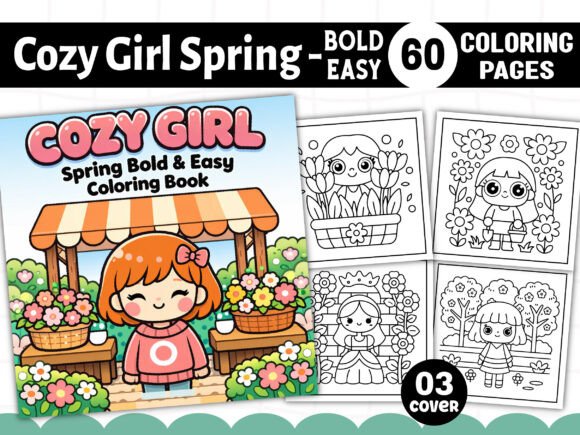
What the Bold Easy Cozy Girl Spring Coloring Book Contains
The package is built around a square 8.5” x 8.5” trim size, a popular choice for coloring books due to its balanced proportion on screen and in print. Every file is delivered at 300 DPI, which meets standard print quality requirements for on-demand platforms. The interior is entirely black and white line art, which is expected for a coloring book, but the range of file formats gives you flexibility:
- 01 PDF (print-ready) – A single aggregate file containing all 60 pages, ideal for uploading directly to KDP after cover insertion.
- 01 EPS (print-ready) – A vector-based file that allows you to edit, resize, or recolor elements in Adobe Illustrator or similar software.
- 60 PNG files – Transparent background raster images, useful for digital mockups, previews, or combining with other assets.
- 60 JPG files – White-background raster images, ready for quick testing or inclusion in non-editable workflows.
- 60 SVG files – Scalable vector graphics, which can be imported into design apps like Canva, Inkscape, or Cricut Design Space for further customization.
- Free 03 PNG book covers – Bonus assets that streamline the cover creation process, saving you design time.
This variety means the same core art can be used across print, digital, and even hybrid products without recreating the wheel.
Where This Fits in a Publishing Workflow
If you are a KDP publisher, small business owner, or creator building a series of themed coloring books, the Bold Easy Cozy Girl Spring Coloring Book can be inserted into your process at several points:
Before Production: Content Planning and Asset Auditing
Before you begin formatting, you need to assess what you already have. This collection provides 60 unique designs, which is sufficient for a standard 60–70 page interior (allowing for a title page, copyright page, and perhaps a “This book belongs to” page). By having the files in advance, you can map out the structure of your book without waiting for illustrations to be created from scratch. You can also decide whether to use the entire set as a single book or split it into multiple smaller volumes (e.g., a 30-page mini book or a seasonal bundle).
During Production: Integration with Design Tools
The format variety directly supports different workflows:
- For print-ready upload: Open the provided PDF in Adobe Acrobat or a similar tool, add your front and back matter, insert the bonus cover, and export as a single PDF. This is the fastest path to a KDP-ready file.
- For custom branding: Use the EPS or SVG files in Illustrator, Affinity Designer, or Inkscape to adjust line weights, add your logo watermark discreetly, or rearrange page order. Because these are vector formats, you can scale any element without quality loss, which is useful if you later decide to offer an 8.5” x 11” version.
- For digital products: The PNG files with transparency allow you to layer the coloring pages onto different backgrounds for a digital planner or a printable subscription box. You could also use the JPG files for a quick preview set on a landing page.
After Production: Repurposing and Scaling
Once your book is live, the same assets can fuel related products. The SVG files, for example, can be used to create sticker sheets, journal inserts, or even SVG cut files for crafters. The black-and-white line art is also suitable for creating grayscale coloring pages if you apply a slight gradient in Photoshop, expanding your product range without commissioning new artwork.
Usability Across Skill Levels and Platforms
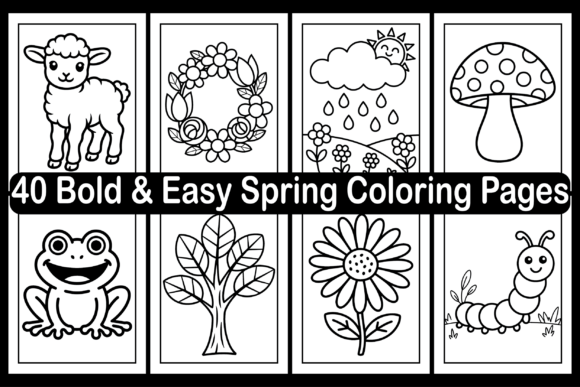
One of the practical advantages of this collection is that it is labeled Bold and Easy, meaning the line art uses thicker, simpler shapes with minimal fine detail. This design choice serves multiple functions:
- It reduces printing issues on standard inkjet or laser printers, where very thin lines can break or fade.
- It makes the pages accessible to coloring enthusiasts who prefer less intricate patterns, including beginners or those looking for a relaxing, low-stress experience.
- It prints cleanly at various sizes, so you can offer both the standard 8.5” x 8.5” and a smaller 6” x 9” version by scaling the vectors rather than redrawing.
Practical Implementation Tips for a Smooth Workflow
To get the most out of the Cozy Girl Spring Bold and Easy Coloring Book assets, consider these process-oriented practices:
- Check file naming and organization – After unzipping, rename files in a logical sequence (e.g., “page_01.svg”, “page_01.png”) so you can easily locate specific designs when making revisions.
- Create a master template file – Set up a single document in your design software with your book’s margins, bleed (usually 0.125” for KDP), and trim guides. Then import each page image onto a new layer or page. This ensures consistency across all 60 pages.
- Test print one page before full upload – Even though the files are 300 DPI, test a sample on your home printer to confirm the line art renders as expected, especially if you have adjusted the size or format.
- Use the bonus covers strategically – The three included PNG covers can be used as-is or as a base layer. You can overlay your own title typography, adjust the color palette to match your brand, or combine elements from multiple covers into a unique design.
- Plan for series consistency – If you intend to release multiple coloring books, maintain a consistent cover style (same font, similar layout, matching color palette) so that customers recognize the series. The vector formats make it easy to reuse design elements across volumes.
How This Resource Interacts with Other Tools and Platforms
The Bold Easy Cozy Girl Spring Coloring Book is a standalone asset, but its value increases when combined with other resources:
- KDP Dashboard – You will need to upload the final PDF and cover file through Amazon’s Kindle Direct Publishing interface. Since the interior is precisely sized at 8.5” x 8.5” and includes bleed if you add it, it aligns with KDP’s square book specifications.
- Adobe Acrobat Pro or PDF Editors – Use these to merge your front matter, interior pages, and back matter into a single PDF. You can also add hyperlinks if you are creating a digital version.
- Canva – The JPG and PNG files can be directly imported into Canva for quick cover design or social media promotional graphics. Canva also supports SVG imports on the Pro plan, which allows for color adjustments.
- Print-on-Demand Services besides KDP – The same PDF can be uploaded to IngramSpark, Lulu, or Barnes & Noble Press, though you may need to adjust trim size or bleed requirements specific to each service.
- Digital Product Platforms – The PNG and JPG files are also suitable for sale on Etsy, Gumroad, or Teachers Pay Teachers as digital downloads, provided you have the appropriate license to resell the content (the product note indicates you can sell it anywhere).
Quality Control and Long-Term Use
Because the files are delivered in multiple raster and vector formats, you have both immediate usability and future flexibility. The vector files (SVG, EPS) are resolution-independent, meaning they will not degrade if you need to enlarge a page element for a poster or a banner. The raster files (PNG, JPG) are ready for platforms that require flat images.
For long-term maintenance, keep the original ZIP file archived and extract only the files you need for each project. If you modify any of the vector files (e.g., changing line thickness or removing certain elements), save a separate copy so that you always have the original as a fallback. This is especially useful if you later decide to license the designs for additional products such as fabric prints, digital planners, or educational materials.
Final Observations on Workflow Efficiency
What makes the Bold Easy Cozy Girl Spring Coloring Book a practical choice for publishers and creators is not just the art itself, but the deliberate file structure. Having all common formats in one ZIP eliminates the need to convert files manually, reducing the chance of quality loss or formatting errors. The 300 DPI resolution and 8.5” x 8.5” dimensions match standard KDP requirements with minimal adjustment. The black-and-white line art is optimized for cost-effective printing, and the bold style ensures that the final printed pages hold up well across different paper types.
Whether you are producing a single book for a seasonal launch or building a catalog of multiple coloring book titles, this collection functions as a consistent, reusable interior. By treating it as a modular asset—rather than a fixed product—you can adapt the same designs for print, digital, and hybrid formats, saving time and maintaining quality across your entire workflow.